物理 教大家如何转存帖子内容(网页端)

听说大手发力了于是顶帖
网页版的仔细看喵喵喵
1.网页端把评论区全部点开 帖子展开划到底
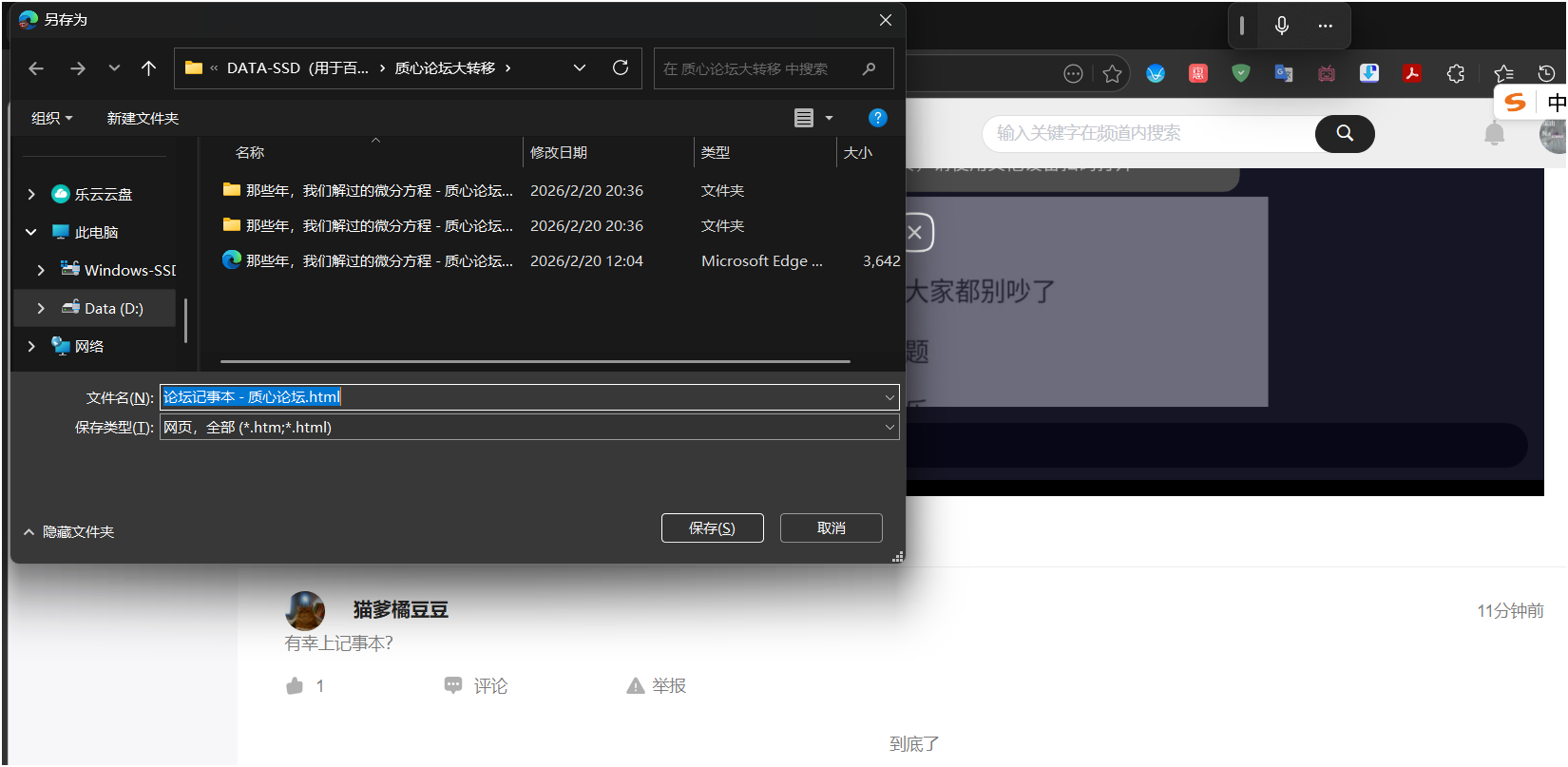
2.然后按Ctrl+s 或者右键单击点击另存为 格式就选择网页_全部 不要改 然后下载
3、会下载一个html文件+一个文件夹 文件夹不要删掉了
4、然后用微软word打开html文件(wps我不知道行不行 因为我这个电脑用wps打开就死机 ds说其实能)
直接启用编辑+点确定

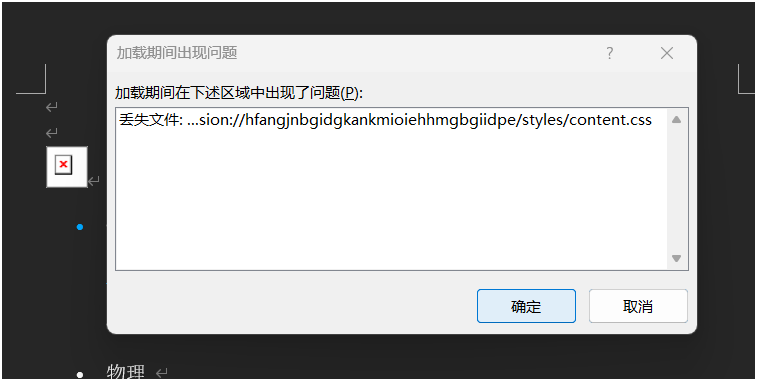
我这个电脑复制下来大图是乱的 需要调整 我用ds写了个代码(在下面)
按ALT+F11 打开VBA运行模块 点第四个“插入” 然后选“模块” 把这个代码全部复制进去
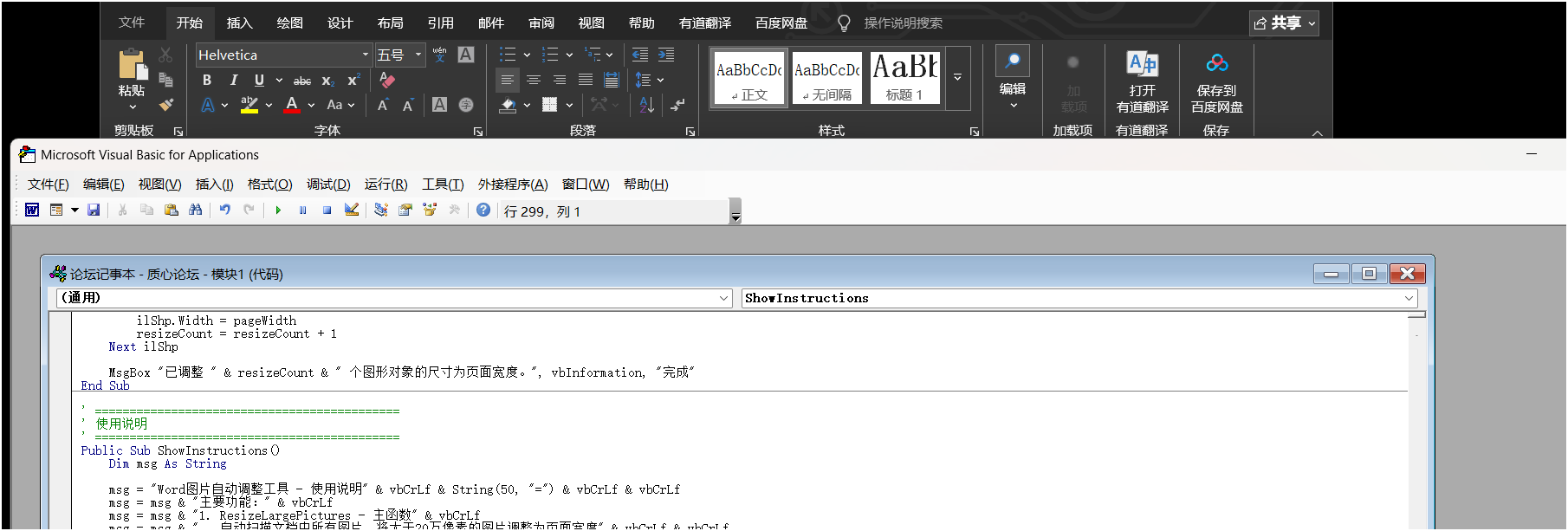
在右边的框上选择R开头那个函数 按F5运行(如果不行试试F8)

调完之后部分图片还需要自己调整 这个程序基于像素数来判断是头像还是正文截图来调整大小
阈值是200000像素,在代码最前面 可以改
少部分图片需要手动调整
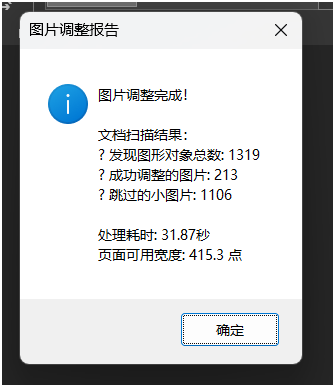
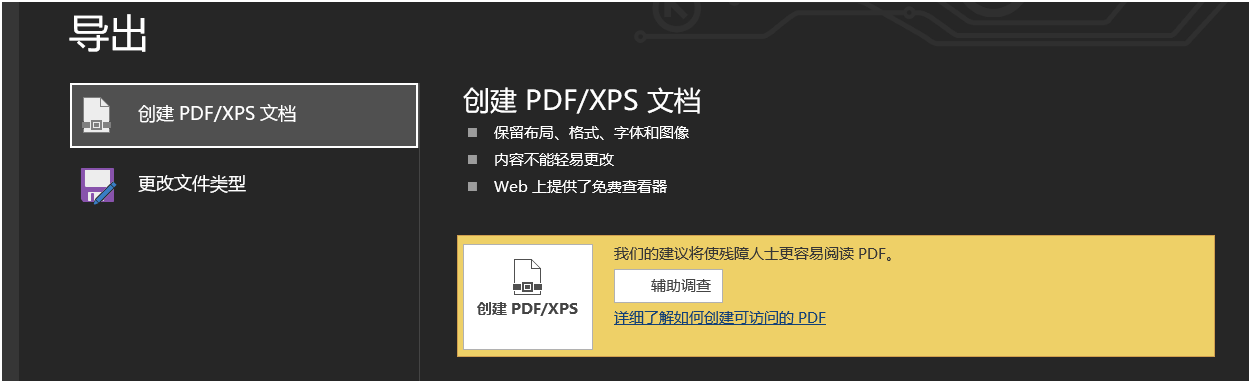
调完之后菜单栏找最下面导出 创建Pdf 完事
VBA程序如下:
Option Explicit
' 主入口:调整文档中所有图片的尺寸
Public Sub ResizeLargePictures()
' 定义常量
Const PIXEL_THRESHOLD As Long = 200000 ' 20万像素阈值
Const DEFAULT_DPI As Long = 96 ' 默认分辨率:96 DPI
Dim doc As Document
Dim shp As Object
Dim ilShp As Object
Dim pageWidth As Double
Dim resizeCount As Long
Dim totalPictures As Long
Dim startTime As Double
' 记录开始时间
startTime = Timer
' 设置错误处理
On Error GoTo ErrorHandler
' 获取当前文档
Set doc = ActiveDocument
If doc Is Nothing Then
MsgBox "没有打开的文档!", vbExclamation, "错误"
Exit Sub
End If
' 计算页面可用宽度(减去页边距)
With doc.PageSetup
pageWidth = .PageWidth - .LeftMargin - .RightMargin
End With
' 显示进度
Application.StatusBar = "正在扫描文档中的图片..."
' ============================================
' 第一部分:处理浮动图片 (Shapes 集合)
' ============================================
totalPictures = 0
resizeCount = 0
' 方法1:遍历所有形状对象
For Each shp In doc.Shapes
totalPictures = totalPictures + 1
' 尝试调整图片大小
If TryResizeShape(shp, pageWidth, PIXEL_THRESHOLD, DEFAULT_DPI) Then
resizeCount = resizeCount + 1
End If
Next shp
' 方法2:遍历所有内联形状 (InlineShapes 集合)
For Each ilShp In doc.InlineShapes
totalPictures = totalPictures + 1
' 尝试调整内联图片大小
If TryResizeInlineShape(ilShp, pageWidth, PIXEL_THRESHOLD, DEFAULT_DPI) Then
resizeCount = resizeCount + 1
End If
Next ilShp
' 更新状态栏
Application.StatusBar = ""
' 显示结果
Dim resultMsg As String
Dim elapsedTime As String
elapsedTime = Format((Timer - startTime), "0.00") & "秒"
resultMsg = "图片调整完成!" & vbCrLf & vbCrLf
resultMsg = resultMsg & "文档扫描结果:" & vbCrLf
resultMsg = resultMsg & "• 发现图形对象总数: " & totalPictures & vbCrLf
resultMsg = resultMsg & "• 成功调整的图片: " & resizeCount & vbCrLf
resultMsg = resultMsg & "• 跳过的小图片: " & (totalPictures - resizeCount) & vbCrLf & vbCrLf
resultMsg = resultMsg & "处理耗时: " & elapsedTime & vbCrLf
resultMsg = resultMsg & "页面可用宽度: " & Format(pageWidth, "0.0") & " 点"
MsgBox resultMsg, vbInformation, "图片调整报告"
Exit Sub
ErrorHandler:
Application.StatusBar = ""
MsgBox "处理过程中出现错误:" & vbCrLf & _
"错误号: " & Err.Number & vbCrLf & _
"错误描述: " & Err.Description & vbCrLf & _
"请确保文档已保存,然后重试。", vbCritical, "错误"
End Sub
' ============================================
' 辅助函数:尝试调整浮动图片
' ============================================
Private Function TryResizeShape(ByRef shp As Object, _
ByVal targetWidth As Double, _
ByVal pixelThreshold As Long, _
ByVal dpi As Long) As Boolean
On Error GoTo ErrorHandler
Dim widthPoints As Double
Dim heightPoints As Double
Dim widthPixels As Long
Dim heightPixels As Long
Dim pixelArea As Long
' 获取当前尺寸(单位:点)
widthPoints = shp.Width
heightPoints = shp.Height
' 将点转换为像素(估算)
' 1点 = 1/72英寸,假设分辨率为dpi
widthPixels = CLng(widthPoints * dpi / 72)
heightPixels = CLng(heightPoints * dpi / 72)
' 计算像素面积
pixelArea = widthPixels * heightPixels
' 如果图片小于阈值,不调整
If pixelArea <= pixelThreshold Then
TryResizeShape = False
Exit Function
End If
' 尝试锁定宽高比并调整大小
shp.LockAspectRatio = True
shp.Width = targetWidth
TryResizeShape = True
Exit Function
ErrorHandler:
' 如果出错,返回False
TryResizeShape = False
End Function
' ============================================
' 辅助函数:尝试调整内联图片
' ============================================
Private Function TryResizeInlineShape(ByRef ilShp As Object, _
ByVal targetWidth As Double, _
ByVal pixelThreshold As Long, _
ByVal dpi As Long) As Boolean
On Error GoTo ErrorHandler
Dim widthPoints As Double
Dim heightPoints As Double
Dim widthPixels As Long
Dim heightPixels As Long
Dim pixelArea As Long
' 获取当前尺寸
widthPoints = ilShp.Width
heightPoints = ilShp.Height
' 将点转换为像素
widthPixels = CLng(widthPoints * dpi / 72)
heightPixels = CLng(heightPoints * dpi / 72)
' 计算像素面积
pixelArea = widthPixels * heightPixels
' 如果图片小于阈值,不调整
If pixelArea <= pixelThreshold Then
TryResizeInlineShape = False
Exit Function
End If
' 尝试锁定宽高比并调整大小
ilShp.LockAspectRatio = True
ilShp.Width = targetWidth
TryResizeInlineShape = True
Exit Function
ErrorHandler:
TryResizeInlineShape = False
End Function
' ============================================
' 测试函数:检查文档中图片的统计信息
' ============================================
Public Sub CheckDocumentPictures()
Dim doc As Document
Dim shp As Object
Dim ilShp As Object
Dim shapeCount As Long
Dim inlineShapeCount As Long
Dim info As String
Dim i As Long
On Error Resume Next
Set doc = ActiveDocument
If doc Is Nothing Then
MsgBox "没有打开的文档!", vbExclamation
Exit Sub
End If
' 统计Shapes
shapeCount = doc.Shapes.Count
' 统计InlineShapes
inlineShapeCount = doc.InlineShapes.Count
' 收集详细信息(仅前10个)
info = "Shapes集合(浮动对象): " & shapeCount & " 个" & vbCrLf
If shapeCount > 0 Then
info = info & "前" & Application.Min(shapeCount, 10) & "个对象的类型:" & vbCrLf
For i = 1 To Application.Min(shapeCount, 10)
info = info & " #" & i & ": Type=" & doc.Shapes(i).Type
info = info & ", Width=" & Format(doc.Shapes(i).Width, "0.0")
info = info & ", Height=" & Format(doc.Shapes(i).Height, "0.0") & vbCrLf
Next i
End If
info = info & vbCrLf & "InlineShapes集合(内联对象): " & inlineShapeCount & " 个" & vbCrLf
If inlineShapeCount > 0 Then
info = info & "前" & Application.Min(inlineShapeCount, 10) & "个对象的类型:" & vbCrLf
For i = 1 To Application.Min(inlineShapeCount, 10)
info = info & " #" & i & ": Type=" & doc.InlineShapes(i).Type
info = info & ", Width=" & Format(doc.InlineShapes(i).Width, "0.0")
info = info & ", Height=" & Format(doc.InlineShapes(i).Height, "0.0") & vbCrLf
Next i
End If
MsgBox info, vbInformation, "文档图片统计"
End Sub
' ============================================
' 快速调整:将所有图片调整为页面宽度(忽略大小检查)
' ============================================
Public Sub QuickResizeAll()
Dim doc As Document
Dim shp As Object
Dim ilShp As Object
Dim pageWidth As Double
Dim resizeCount As Long
On Error Resume Next
Set doc = ActiveDocument
If doc Is Nothing Then
MsgBox "没有打开的文档!", vbExclamation
Exit Sub
End If
' 计算页面可用宽度
With doc.PageSetup
pageWidth = .PageWidth - .LeftMargin - .RightMargin
End With
' 调整所有Shapes
For Each shp In doc.Shapes
shp.LockAspectRatio = True
shp.Width = pageWidth
resizeCount = resizeCount + 1
Next shp
' 调整所有InlineShapes
For Each ilShp In doc.InlineShapes
ilShp.LockAspectRatio = True
ilShp.Width = pageWidth
resizeCount = resizeCount + 1
Next ilShp
MsgBox "已调整 " & resizeCount & " 个图形对象的尺寸为页面宽度。", vbInformation, "完成"
End Sub
' ============================================
' 使用说明
' ============================================
Public Sub ShowInstructions()
Dim msg As String
msg = "Word图片自动调整工具 - 使用说明" & vbCrLf & String(50, "=") & vbCrLf & vbCrLf
msg = msg & "主要功能:" & vbCrLf
msg = msg & "1. ResizeLargePictures - 主函数" & vbCrLf
msg = msg & " 自动扫描文档中所有图片,将大于20万像素的图片调整为页面宽度" & vbCrLf & vbCrLf
msg = msg & "2. QuickResizeAll - 快速调整" & vbCrLf
msg = msg & " 忽略大小检查,将所有图片调整为页面宽度" & vbCrLf & vbCrLf
msg = msg & "3. CheckDocumentPictures - 诊断工具" & vbCrLf
msg = msg & " 显示文档中图片的详细信息,用于调试" & vbCrLf & vbCrLf
msg = msg & "使用方法:" & vbCrLf
msg = msg & "1. 在Word中按Alt+F11打开VBA编辑器" & vbCrLf
msg = msg & "2. 插入 → 模块,粘贴本代码" & vbCrLf
msg = msg & "3. 返回Word,按Alt+F8运行宏" & vbCrLf
msg = msg & "4. 选择要运行的函数,点击'运行'" & vbCrLf & vbCrLf
msg = msg & "注意事项:" & vbCrLf
msg = msg & "• 建议先运行CheckDocumentPictures检查图片" & vbCrLf
msg = msg & "• 调整前请保存文档,以防需要撤销操作" & vbCrLf
msg = msg & "• 20万像素阈值可根据需要修改代码中的常量"
MsgBox msg, vbInformation, "使用说明"
End Sub